
Are you looking for a faster, more streamlined way to access and analyze your field-collected data without the hassle of downloading entire projects or configuring complex integrations? We have some exciting news! We are introducing early access for OGC API support. It is a one-click solution that removes technical barriers so you can access the data in the easiest possible way.
From complex setups to one-click data sharing
Until now, reading data directly from a Mergin Maps project without downloading a local copy required multiple steps and specialized technical knowledge. For many GIS users and organizations, this meant setting up database synchronization (DB-Sync) or hosting and maintaining a server just to feed live field data into internal systems.
By implementing OGC API support, you can now seamlessly connect external applications directly to your project data via Web Feature Services (WFS) or Web Map Services (WMS). Your dashboard will generate a unique link that grants instant, read-only access to anyone who needs it. This means your field data can be viewed and analyzed live across your organization while the original project remains safe, secure, and completely unchanged all without needing any server hosting or advanced IT overhead.
How it works
Inside the settings section of your Mergin Maps project dashboard, you will find a brand-new API settings group. Enabling the OGC API instantly generates live endpoints. Other apps can immediately use these links to read and retrieve your live project data without downloading a single file.
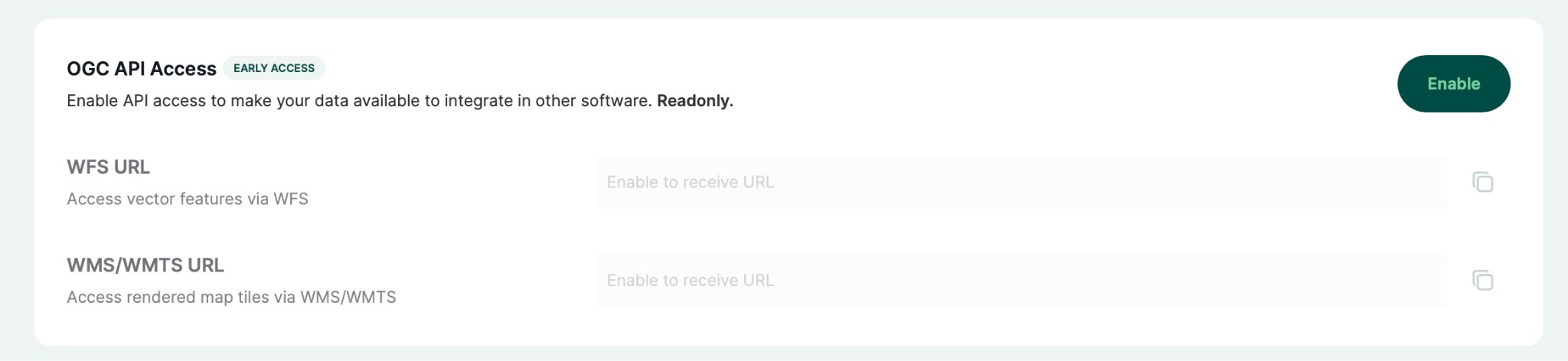
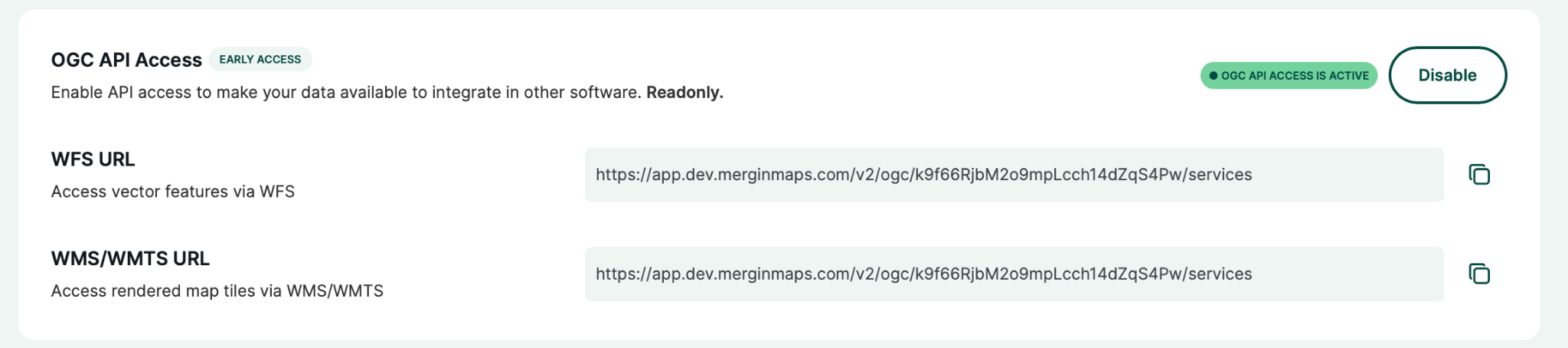
Because data access is strictly read-only, you can confidently share your collected map data with clients, partners, or internal reporting systems knowing your project data is perfectly intact. You maintain absolute control as dmins can toggle enable or disable OGC API access for a specific project whenever they choose.
Step-by-step: how to get started
Because the feature is currently an early access, workspace owners or admins will first need to quickly opt-in:
- Prerequisite: Under your workspace settings, navigate to the early access program tab. Enable the feature for your workspace with a single click.
Once your workspace has access, simply follow these four easy steps:
1: Open your dashboard and navigate to the project you wish to share via the OGC API.
2: Click on the new API settings tab, and in the first section, tap the Enable button.
3: A confirmation message will appear showing that the OGC API is active, and the copyable links will become available.
4: Copy the endpoints and use them to stream your field data directly into QGIS, internal BI tools, or any other system capable of importing data via WFS or WMS.
Try it yourself!
The best way to see how easily your field data syncs up is to try setting up a WFS/WMS connection in QGIS on your own. You can find the full setup guide in our documentation.
Since this is still in early access, we would love to hear your thoughts. Have any feedback? Let us know product (at) merginmaps.com.