


About BGS
The British Geological Survey (BGS) is a world-leading geological survey and global geoscience organisation, focused on public-good science for government and research to understand earth and environmental processes.
BGS provides geological information for public and private sector users in areas such as construction; energy generation (e.g. finding sites for extracting geothermal energy or for storing carbon dioxide or nuclear waste); reducing the risk from natural hazards such as earthquakes or coastal erosion.
Dr. John A Stevenson is a Senior Software Developer for BGS with a background in volcanology. John’s speciality is Python-based software development, spatial data and data engineering. He spoke to us about BGS’s new QGIS-based field data capture tool and how they use it with Mergin Maps.
Developing a new survey tool
BGS has been doing digital field data capture since 2005 using a survey tool called the ‘System for Integrated Geoscience Mapping’ (BGS·SIGMA), which was developed in-house and built on top of Esri’s ArcGIS platform. The software ran on Windows on rugged Toughbook-style tablets. The deprecation of ArcGIS by Esri in favour of ArcPro in March 2024 meant that BGS·SIGMA would need to be replaced. After an internal review, BGS decided to move to an open-source system based on QGIS. This option was chosen because it gave the most flexibility in terms of customisation for their needs and for sharing with collaborators. QGIS was already widely used within BGS.
After evaluating both Mergin Maps and QField for integration of QGIS to mobile surveying, BGS decided to use Mergin Maps because it allows the same QGIS project to run unchanged on both mobile and desktop. This gives them complete control on project and data structure. They also liked the mobile interface and how simultaneous changes by multiple users on multiple device platforms can be cleanly merged.
BGS developers wrote a custom QGIS plugin to set up a project for geological mapping. The plugin adds layers to any QGIS project, with a GeoPackage to store the data and all the styles and forms configured as needed. These layers are plain QGIS, so they just work in the Mergin Maps app. The plugin also provides custom map tools to efficiently edit data in a parent-child relationship in QGIS. There is a bulk photo importer tool for linking photos from external devices to locations. It includes caption editing, thumbnail creation and detection of unlinked photos. The plugin can also generate reports in HTML and PDF formats.
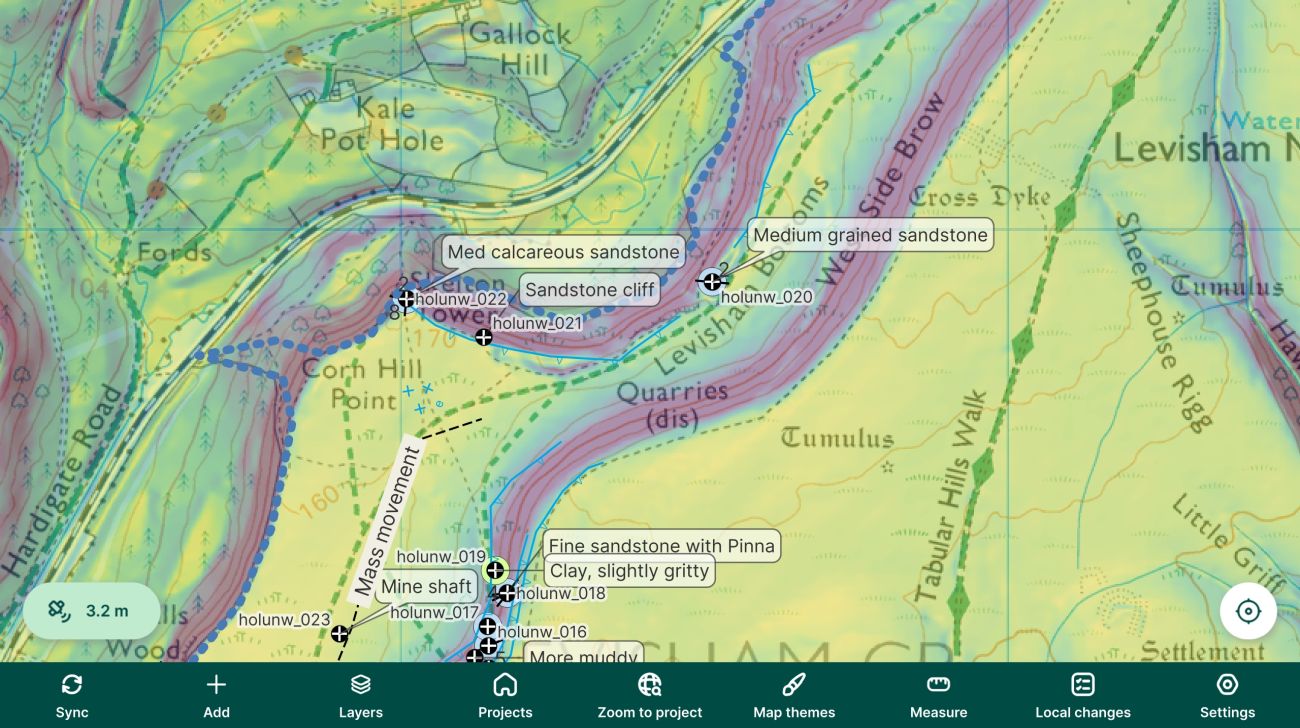
Geologists can run QGIS on the Windows tablets, which gives them access in the field to GIS tools for generating slope maps or measuring distances and to plugins such as qgSurf for predicting where rock formations are likely to outcrop at the surface. Alternatively, they can use the Mergin Maps mobile app with the benefit of a more portable device with longer battery life. Mobile devices are also better suited for surveys in urban areas where walking around with a large rugged Windows tablet can draw unwanted attention. Someone tapping on a phone just blends in.
Using database constraints to ensure data quality
The data collected in the field is ultimately destined for BGS’ central relational database. This has database-level constraints that ensure high data quality by enforcing the data types and relationships between features. A survey is set up so that observations, photos, samples and structural measurements all belong to a single “locality” point, and so that all the points belong to one project. Database foreign key constraints make it impossible to record ‘orphan’ data that doesn’t have a locality or project. Additional constraints are used, for example to ensure that “dip” angles of rock beds are between 0 and 90 degrees.
The BGS developers wanted to enforce the same constraints on the data at the point of collection. They did this at two levels - firstly in the QGIS forms, which understand foreign key relationships and can set constraints, and secondly, in the underlying GeoPackage. A GeoPackage is a SQLite database and can be configured with the same database constraints found in relational database management systems such as PostgreSQL or Oracle, guaranteeing that the data will be compatible. Use of SQLite-level constraints in a GeoPackage makes it impossible to record invalid data, but it is not a typical workflow. BGS and Lutra Consulting have been working together to update the Mergin Maps ecosystem so that database constraints will work smoothly.
Seamless integration from tablet to mobile to desktop
The key benefit of the integration between the BGS tool and Mergin Maps is the ease with which data can be moved between different contexts.
BGS geologists appreciate having access to all relevant background mapping when in the field and being able to pinpoint their location via GPS. These maps can include Ordnance Survey mapping, vectorised geological maps, aerial photos, digital elevation models, previous survey data, borehole data. In some locations, geologists bring scans of handwritten ‘fieldslips’ drawn by previous BGS geologists working there over 100 years before.
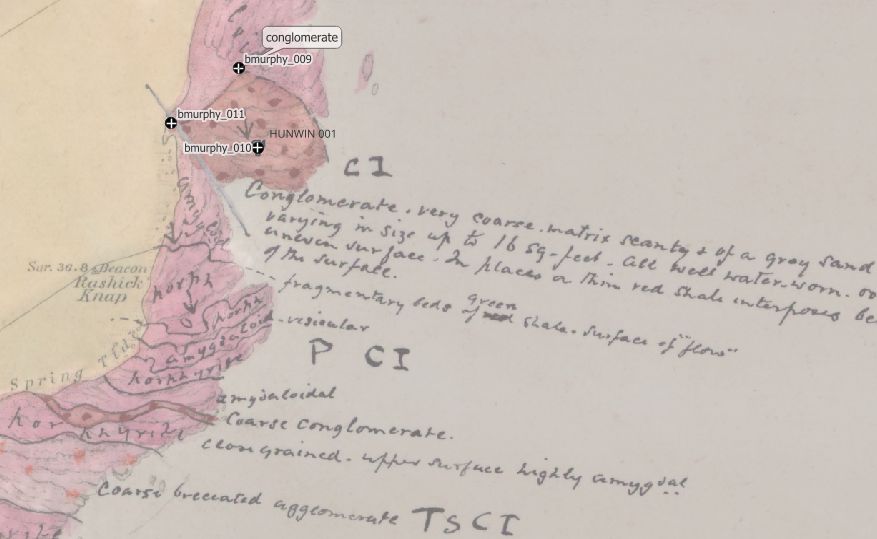
Geologists can set up their QGIS project and collate background data on a laptop or desktop PC, then push it to the Mergin server to share with colleagues. In turn, they can pull it down onto rugged Windows tablets (via QGIS) or a mobile phone (via Mergin Maps), depending on their needs. All the layers and styling transfer across seamlessly and the data look the same in each format. On return to the office, data can be synchronised back via the server for work to continue on the laptop or desktop. A Python script uploads the final data to the central BGS data store.
Next steps
BGS has been using the new QGIS-based system for over a year and data has been recorded from over 2,000 localities. There are plans to flexibly expand the types of data that can be captured so the plugin can be used beyond geological mapping. BGS are also working to release their plugin for wider use, beginning with overseas project partners and eventually submitting it to the QGIS Plugin Repository. Watch this space.
---
Photo credits: All photos by John A Stevenson, licensed under Creative Commons Attribution 4.0 International (CC BY 4.0)


