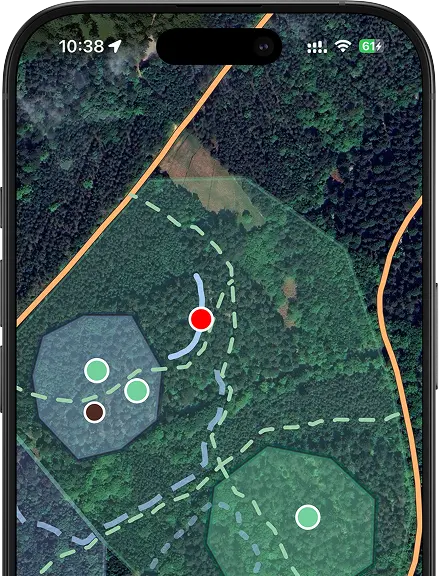
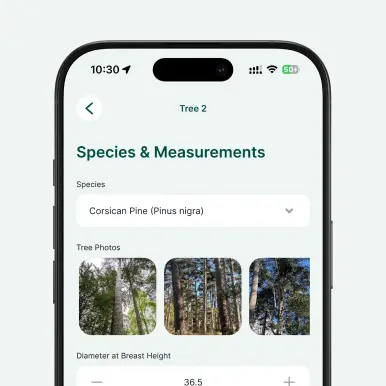
Conduct forest inventories, monitor woodland health, and map tree species and conditions with precision. Digital tree surveys enable field crews to collect geolocated data, capture photos, and record detailed attributes for each tree, even without a network connection.
Data becomes instantly available to office teams, enabling faster decision-making, streamlined maintenance planning, and consistent record-keeping. Whether assessing timber quality, tracking species composition, or monitoring tree health across compartments, digital workflows reduce paperwork and improve data accuracy throughout the entire forest management lifecycle.
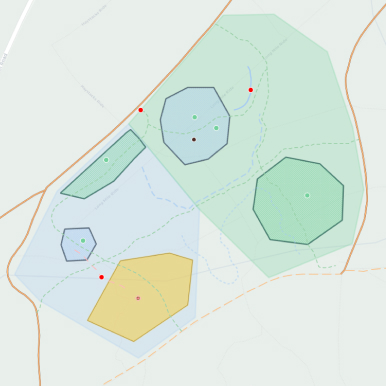
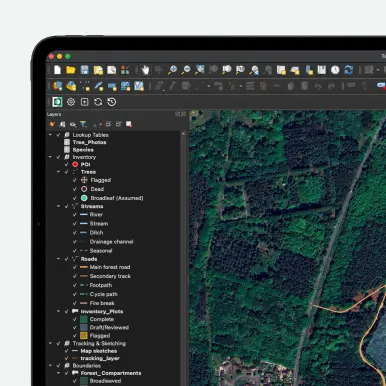


In Mergin Maps, background maps are set up in QGIS before you synchronize the project. You can add both online and offline map layers (raster or vector tiles) as background layers in your QGIS project and then sync them to the Mergin Maps app. Online layers (like OpenStreetMap or other XYZ tile services) require an internet connection, while you can also generate offline tiles (e.g., MBTiles) for field work without connectivity.
To add a new field that appears in your form in Mergin Maps: 1. Open your project in QGIS. 2. Open the attribute table of the layer you want to edit and enter editing mode. 3. Add a new field (e.g., via Add Field), choosing the appropriate name and data type. 4. Save your edits and stop editing. Then, to make the field appear in the form, open Layer Properties → Attributes Form and adjust the layout (including widgets) so that the new field is included in the form.
Yes, you can. Create your Mergin Maps account, clone the template into your workspace, and then you can edit it. Once cloned, you’re free to add fields, adjust forms, and apply conditional logic to suit your specific needs.


